Business email verification is an important step for anyone working with B2B lead generation, sales outreach, email marketing, or customer databases. Before sending an email to a prospect, you need to know whether the address is properly formatted, connected to a real mail domain, and likely to receive messages.
Sending emails to invalid or outdated addresses can increase bounce rates and make your contact database less reliable. A proper email verification process helps you identify invalid, risky, disposable, role-based, and catch-all addresses before using them in an outreach campaign.
In this guide, you will learn how to verify business emails, which checks are important, how email verification works, and how to maintain a cleaner business email list.
What Is Business Email Verification?
Business email verification is the process of checking whether a professional email address is valid and capable of receiving email.
For example:
A verification process can check several things about this address:
- Is the email format correct?
- Does the domain exist?
- Does the domain have mail servers?
- Does the mailbox appear to accept email?
- Is the address disposable?
- Is it a role-based address such as info@ or sales@?
- Is the domain configured as a catch-all?
Email verification does not provide a 100% guarantee that a person will read or respond to your message. Instead, it reduces the risk of sending to obviously invalid or problematic addresses.

Why Should You Verify Business Emails?
If you collect business email addresses from websites, LinkedIn research, lead-generation platforms, forms, or spreadsheets, some addresses may eventually become outdated or invalid.
People change jobs, companies change domains, and mailboxes can be disabled. Email lists therefore need regular maintenance. Industry guides also recommend combining multiple checks rather than relying on a simple format check alone.
Here are some important reasons to verify business emails.
1. Reduce Invalid Addresses
A verification process can identify addresses that are clearly invalid before they are used in a campaign.
2. Improve List Quality
Removing problematic addresses keeps your CRM, spreadsheet, or marketing database cleaner.
3. Reduce Bounce Risk
Invalid addresses can result in bounced messages. Verifying your list before sending can help reduce unnecessary bounces.
4. Save Time
Instead of manually checking hundreds or thousands of addresses, an email verification service can process them automatically.
5. Maintain Better Lead Data
For B2B lead generation, accurate contact information is important. Verification adds another quality-control step to your prospecting workflow.
How Does Business Email Verification Work?
Email verification usually involves several layers of checks. A reliable process does not depend on only one test.
The most common checks include:
- Syntax validation
- Domain verification
- MX record verification
- SMTP or mailbox-level checking
- Disposable email detection
- Role-based email detection
- Catch-all detection
Let’s look at each step.
Step 1: Check the Email Syntax
The first step is checking whether the email address has a valid format.
A typical business email looks like:
The address contains:
- A local part — name
- An @ symbol
- A domain — company.com
A syntax check can detect obvious problems such as:
john@@company.com
john.company.com
john@company
john @company.com
These addresses may have formatting problems and should be reviewed before being used.
However, a correctly formatted email address does not automatically mean that the mailbox exists.
For example:
randomperson@example-business.com
may have correct syntax while still being nonexistent.
That is why additional checks are necessary.
Step 2: Verify the Domain
The next step is checking whether the domain exists.
For example:
requires the domain:
abccompany.com
to exist and resolve correctly.
If the domain itself does not exist, the email address cannot be used successfully.
Domain verification can help identify:
- Misspelled domains
- Expired domains
- Nonexistent domains
- Incorrect website domains
- Domains that are not configured for email
This is particularly useful when collecting leads manually because small typing mistakes can create invalid addresses.
Step 3: Check MX Records
MX stands for Mail Exchange.
MX records are DNS records that identify the mail servers responsible for receiving email for a domain.
For example, if:
company.com
has appropriate mail-server configuration, its MX records indicate where incoming email should be delivered.
An email verifier can check these records before performing deeper verification.
If a domain does not have appropriate mail configuration, an address under that domain may not be able to receive email.
This is why checking the domain alone is not enough. A domain can exist as a website while having no usable email configuration.
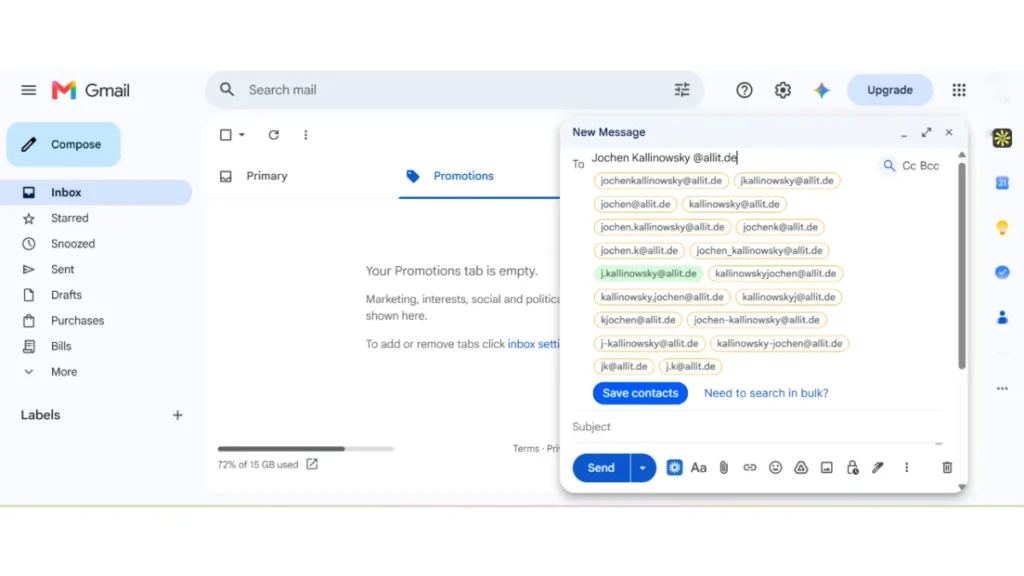
Step 4: Check the Mailbox With SMTP
SMTP stands for Simple Mail Transfer Protocol, which is used for sending email.
Some email verification services perform an SMTP-level check to obtain signals about whether a particular mailbox can accept mail. This can happen without sending a normal message to the recipient.
For example, a verification system may check:
and receive a response from the receiving mail server.
Depending on the server configuration, the result might indicate that the address appears:
- Valid
- Invalid
- Risky
- Unknown
- Catch-all
However, SMTP verification is not perfect. Some mail servers intentionally hide mailbox information or accept mail for many addresses.
Therefore, SMTP results should be interpreted together with other verification signals.
Step 5: Detect Catch-All Domains
A catch-all domain is configured to accept email for addresses that may not correspond to individual mailboxes.
For example, a company could potentially accept:
and
even if the second address does not represent a real person.
This creates a challenge for email verification.
An SMTP check may receive an acceptance response even when the specific mailbox cannot be independently confirmed.
Because of this, good verification systems generally identify catch-all results separately rather than treating every accepted address as definitively valid.
If your verification tool reports an address as Catch-All, treat it as a separate category and use additional evidence before sending large campaigns.
Step 6: Detect Disposable Email Addresses
Disposable email addresses are temporary email accounts that are generally created for short-term use.
They are more common in consumer or signup environments than in genuine B2B prospecting.
For example, someone may use a temporary email address to register for a website without providing their normal business email.
A verification service can compare domains against databases of known disposable email providers.
For B2B lead generation, disposable addresses may be less useful because they can make long-term communication difficult.
Step 7: Identify Role-Based Email Addresses
A role-based email address belongs to a department, function, or shared inbox rather than a specific individual.
Common examples include:
These addresses are not necessarily invalid. In fact, they can be useful when contacting a company generally.
However, if your campaign specifically targets individual decision-makers, you may want to separate role-based addresses from personal business emails.
For example:
and
should not necessarily be treated as the same type of lead.
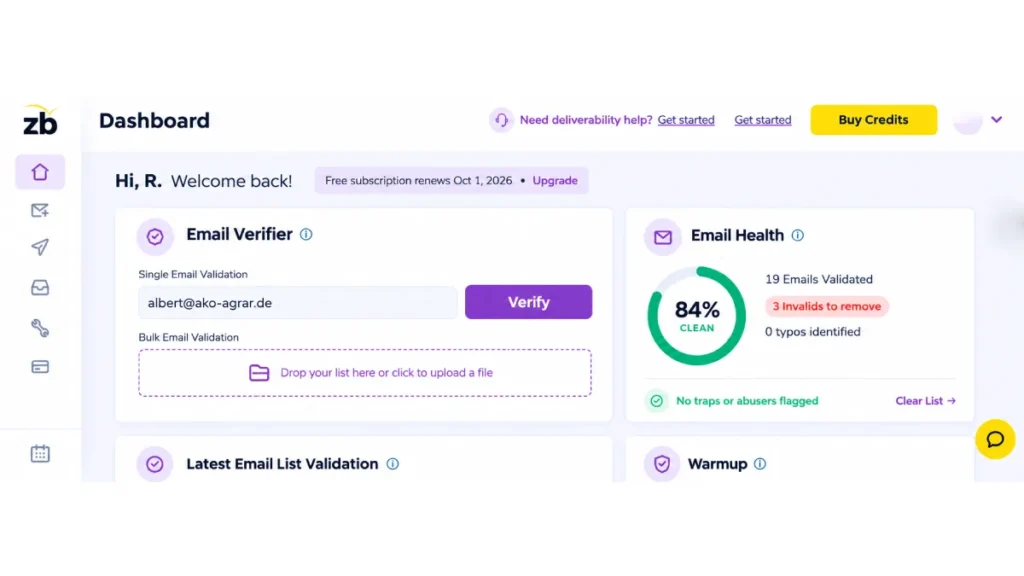
Single Email Verification vs. Bulk Verification
There are two common ways to verify business emails.
Single Email Verification
Single verification is useful when you only need to check one or a few addresses.
For example, before contacting a newly discovered prospect, you can verify:
This approach is convenient for small tasks.
Bulk Email Verification
Bulk verification is useful when you have a large spreadsheet or CRM database.
For example, suppose your list contains 2,000 business email addresses.
Instead of checking each address manually, you can upload the list to a bulk verification service and receive results for multiple addresses.
Typical results may include:
| Status | Meaning |
| Valid | Address appears deliverable |
| Invalid | Address has significant problems |
| Catch-All | Domain accepts many addresses |
| Disposable | Temporary email domain detected |
| Role | Shared or department address |
| Unknown | Verification could not reach a reliable conclusion |
These categories can help you decide which records require additional review.
How to Verify Business Emails Step by Step
Here is a simple workflow you can follow.
Step 1: Collect Your Email List
Gather your business email addresses in a spreadsheet or CRM.
Step 2: Remove Duplicates
Before verification, remove duplicate records.
Step 3: Check Email Formatting
Identify addresses with obvious formatting errors.
Step 4: Verify the Domain
Make sure the domain exists.
Step 5: Check MX Records
Confirm that the domain has appropriate mail-server configuration.
Step 6: Run Mailbox-Level Verification
Use an email verification service to obtain mailbox-level signals where possible.
Step 7: Identify Risky Addresses
Separate catch-all, disposable, role-based, and unknown results.
Step 8: Clean Your List
Remove clearly invalid addresses and keep uncertain addresses separate for further review.
Step 9: Re-Verify Older Lists
Business contact data can become outdated over time, so older lists should not be assumed to remain accurate forever.
Best Practices for Business Email Verification
Follow these practices to maintain a healthier business email database.
1. Verify Before Outreach
Check your email list before launching a new outreach campaign.
2. Do Not Rely on Syntax Alone
A correctly formatted address may still be nonexistent. Use multiple verification signals.
3. Separate Risky Results
Keep catch-all, role-based, disposable, and unknown addresses separate from addresses that receive a stronger verification result.
4. Keep Your Database Updated
Business contacts can change jobs, companies can change domains, and inactive mailboxes can be removed.
5. Avoid Sending to Clearly Invalid Addresses
If a verification service identifies an address as invalid, remove it from your active outreach list.
6. Use Verification at the Point of Collection
If you operate a signup form or lead-capture system, real-time verification can help prevent incorrect addresses from entering your database.
7. Monitor Your Results
After an outreach campaign, review bounce and delivery data. Use that information to improve future list-cleaning processes.
Common Mistakes to Avoid
Mistake 1: Assuming Every Business Email Is Permanent
People change jobs and companies. An email address that worked previously may eventually become inactive.
Mistake 2: Using Only a Regex or Format Checker
A format checker can tell you whether an address looks correct, but it cannot by itself prove that the mailbox exists.
Mistake 3: Treating Catch-All as Guaranteed Valid
Catch-all servers can accept addresses without confirming that a specific mailbox exists.
Mistake 4: Ignoring Role-Based Addresses
A role address may reach a company but not necessarily the individual decision-maker you intended to contact.
Mistake 5: Never Rechecking Old Data
Email databases need maintenance. Older lead lists can contain outdated information.
What Is the Best Way to Verify Business Emails?
The most practical approach is to use a layered verification process:
Syntax → Domain → MX → Mailbox-level check → Risk detection → List cleaning
No single check can answer every question about an email address. Combining several checks provides a more useful picture of whether an address is suitable for your particular purpose.
For small lists, single-email verification may be enough. For larger B2B databases, bulk verification can save significant time and make list maintenance easier.
Frequently Asked Questions
Can I verify a business email without sending an email?
Yes. Many verification services use syntax, DNS/MX, and SMTP-related checks without sending a normal message to the recipient. However, server behavior can limit how confidently a specific mailbox can be confirmed.
Is email verification 100% accurate?
No. Catch-all configurations, anti-verification measures, temporary server errors, and changing business data can make definitive verification difficult. A good service should clearly distinguish uncertain results from confirmed results.
What is an MX record?
An MX record is a DNS record that identifies the mail servers responsible for receiving email for a domain.
What is a catch-all email domain?
A catch-all domain can accept email for addresses that may not correspond to individual mailboxes. Therefore, an SMTP acceptance response does not always prove that a particular mailbox exists.
Should I verify old business email lists?
Yes. Business contact information changes over time. Re-verifying older lists before using them can help identify addresses that are no longer suitable.
What is the difference between a business email and a role-based email?
A business email can refer to an individual employee, such as john@company.com. A role-based email generally represents a department or function, such as sales@company.com.