
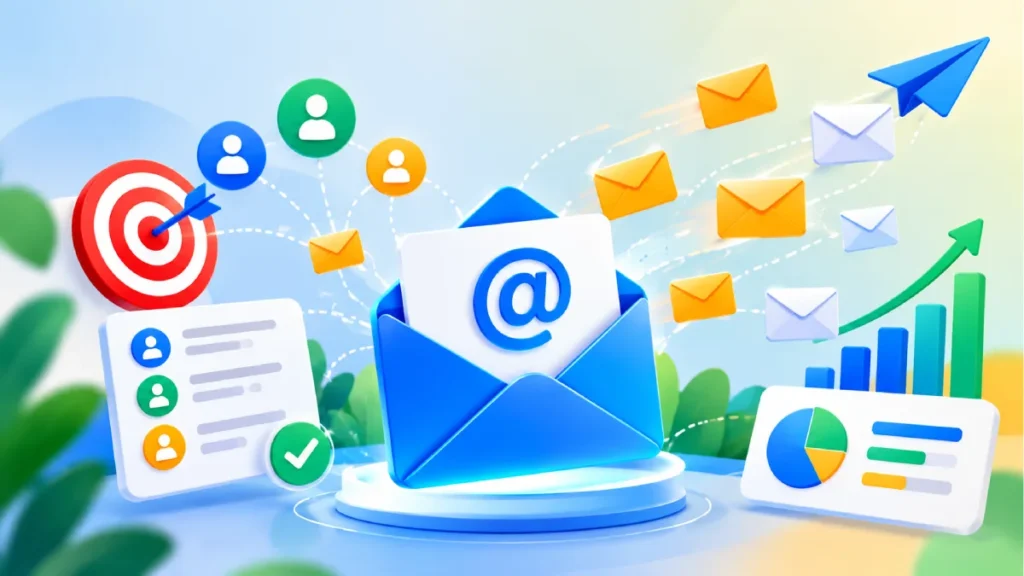
Email Marketing is one of the most effective digital marketing strategies for businesses, bloggers, freelancers, and online entrepreneurs. It allows you to communicate directly with your audience, share valuable information, promote products or services, and build long-term relationships with customers.
Whether you run a blog, an e-commerce store, a digital agency, or a small business, learning email marketing can help you reach the right people and grow your online presence.
In this beginner-friendly guide, you will learn what email marketing is, how it works, its major benefits, the different types of email campaigns, and how to create your first campaign step by step.
What Is Email Marketing?
Email marketing is a digital marketing method that involves sending emails to people who have agreed to receive communications from a business, organization, or content creator. These emails may include educational content, newsletters, product updates, special offers, announcements, and other useful information.
Unlike social media posts, which depend on platform algorithms, email allows businesses to communicate directly with subscribers through their inboxes. However, successful email marketing still depends on factors such as subscriber interest, email deliverability, content quality, and engagement.
For example, imagine you operate a digital marketing blog. Visitors can subscribe to your newsletter to receive weekly tutorials about SEO, blogging, social media marketing, and useful online tools. You can then send them helpful articles and occasional recommendations.
Email marketing is not simply about selling products. It is about providing value, earning trust, and helping subscribers make informed decisions.
How Does Email Marketing Work?
Email marketing follows a straightforward process. A business attracts interested visitors, collects email subscriptions with permission, creates relevant messages, and sends those messages through an email marketing platform.
The process usually includes these five steps:
- Build an email list: Invite interested visitors to subscribe through your website, landing page, or signup form.
- Choose an email marketing tool: Use a platform to organize subscribers and create campaigns.
- Create valuable content: Prepare a newsletter, educational email, product update, or promotional message.
- Send your campaign: Deliver the email to the appropriate subscribers.
- Measure performance: Review delivery, clicks, conversions, and other relevant metrics.
For example, a blogger might offer a free SEO checklist in exchange for an optional newsletter subscription. After subscribing, readers could receive a welcome email, followed by useful tutorials and occasional updates.
This approach helps businesses communicate consistently without manually sending individual messages.

Why Is Email Marketing Important?
Email marketing offers several advantages when it is used responsibly and strategically.
1. Direct Communication
Email gives businesses a direct way to communicate with people who have chosen to receive their messages. You can share announcements, useful resources, and updates without relying entirely on social media platforms.
2. Cost-Effective Marketing
Many email marketing services offer free plans with limited features or subscriber allowances. These plans can help beginners learn the basics before investing in paid tools.
As your subscriber list grows, you can select a plan based on your budget, sending volume, and business requirements.
3. Builds Customer Relationships
Consistent, helpful emails can build familiarity and trust. Rather than contacting subscribers only when you want to sell something, provide information that solves their problems and answers their questions.
4. Supports Website Traffic
You can include links to your latest blog posts, guides, videos, and other useful resources. Interested subscribers may visit your website to explore the content.
For bloggers, this can be an effective way to encourage returning visitors.
5. Enables Personalization
Email marketing tools can organize subscribers according to their interests, preferences, or previous interactions. You can use this information to deliver more relevant messages, provided you respect privacy and applicable data protection requirements.
6. Helps Measure Results
Most email platforms provide reporting features that show campaign delivery, clicks, bounces, and other engagement data. These insights help you identify what works and improve future campaigns.
Types of Email Marketing Campaigns
Different campaigns serve different purposes. Choosing the right type depends on your audience and marketing goals.
1. Welcome Emails
A welcome email introduces your business or website to a new subscriber. It may explain what subscribers can expect, provide a promised resource, and introduce your most useful content.
For example, a marketing blog could welcome subscribers and recommend three beginner-friendly articles.
2. Email Newsletters
Newsletters deliver regular updates, tips, curated resources, and recent articles. They are particularly useful for bloggers, educational websites, and content creators.
A weekly newsletter might include your latest blog post, one practical marketing tip, and a useful online tool.
3. Promotional Emails
Promotional emails inform interested subscribers about discounts, special offers, product launches, or services. Keep these messages accurate and relevant, and clearly explain any important conditions.
Avoid making every email promotional. A balanced approach provides value beyond sales messages.
4. Educational Emails
Educational campaigns teach subscribers something useful. A digital marketing website could create a five-part email series about keyword research, on-page SEO, content planning, analytics, and email marketing.
These campaigns help establish your website as a useful learning resource.
5. Automated Emails
Automated emails are sent when a predefined condition is met. Examples include welcome messages after subscription, requested downloads, and reminders that subscribers have agreed to receive.
Automation saves time and helps maintain consistent communication.
6. Re-Engagement Emails
Re-engagement campaigns aim to reconnect with subscribers who have stopped interacting with your emails. You might ask whether they still want to receive your newsletter or offer an easy way to update their preferences.
Respect unsubscribe requests and avoid repeatedly contacting people who no longer want your emails.
How to Start Email Marketing Step by Step
Getting started does not require advanced technical knowledge. Follow these steps to build a simple email marketing system.
Step 1: Define Your Marketing Goals
Before creating a campaign, decide what you want to achieve.
Your goals might include:
- Increasing traffic to your blog.
- Sharing educational content.
- Announcing new products or services.
- Building relationships with potential customers.
- Encouraging subscribers to register for an event.
- Increasing sales from interested customers.
Choose a clear objective for each campaign. A newsletter designed to increase blog traffic may need different content from a campaign designed to introduce a new service.
Step 2: Choose an Email Marketing Platform
An email marketing platform helps you manage subscribers, design messages, schedule campaigns, and monitor results.
Popular options include Mailchimp, Brevo, and MailerLite. Their features, pricing, eligibility requirements, and free-plan limits may change, so review their current terms before choosing one.
When comparing platforms, consider:
- Ease of use.
- Email templates and design tools.
- Subscriber and sending limits.
- Automation features.
- Reporting and analytics.
- Signup form integrations.
- Privacy and unsubscribe management.
Beginners should choose a tool that meets their current needs rather than paying for advanced features they do not yet use.

Step 3: Build an Email List
An email list contains the email addresses of people who have chosen to receive your communications.
You can build a list by adding a signup form to your blog, creating a dedicated landing page, offering a useful downloadable resource, or inviting existing customers to subscribe where appropriate.
For example, a website about digital skills could offer a free checklist titled “10 Essential Digital Marketing Tools for Beginners.”
Explain what subscribers will receive and how frequently you expect to email them. Collect only the information you need, and use clear consent practices.
Never purchase random email lists or collect addresses for unsolicited bulk campaigns. Purchased lists can damage your sender reputation, produce complaints, and create privacy or legal risks.
Step 4: Create an Attractive Email
A good email should be easy to read, relevant to the audience, and focused on a clear purpose.
Start with a subject line that accurately describes the message. Write a useful introduction, organize the main information into short paragraphs, and include a clear call to action when appropriate.
For example, a newsletter promoting a new blog post might use the subject line “Learn the Basics of Email Marketing” and include a short summary with a link to the full guide.
Keep the design simple. Use readable fonts, sufficient contrast, and mobile-friendly formatting. Add descriptive alternative text to meaningful images, and ensure important information is available as text rather than embedded only in graphics.
Step 5: Segment Your Subscribers
Segmentation means dividing your subscriber list into groups based on relevant characteristics or preferences.
A digital marketing website could create groups for subscribers interested in SEO, social media marketing, blogging, or email marketing.
This allows you to send content that better matches each group’s interests. For example, subscribers who request SEO tutorials could receive more search optimization resources instead of unrelated product announcements.
Use segmentation responsibly, explain relevant data practices, and avoid collecting sensitive information without a valid reason.
Step 6: Send and Test Your Campaign
Before sending an email, review the subject line, message content, links, images, spelling, and unsubscribe option.
Send a test message to yourself and check how it appears on desktop and mobile devices. Verify that all links work and that the email accurately represents your website or business.
Send your campaign to the intended subscribers and monitor the results. If your audience is in different time zones, consider their likely reading habits when scheduling messages.
Step 7: Track and Improve Performance
After sending a campaign, review the available analytics to understand how subscribers responded.
Pay attention to delivery, unique clicks, conversions, unsubscribe activity, and spam complaints. Open rates can provide some directional information, but privacy features and automated image loading can make them unreliable.
Use the results to improve future campaigns. Test different subject lines, adjust the content, make calls to action clearer, and send more relevant messages.

Best Practices for Successful Email Marketing
Following established best practices helps you create useful campaigns and maintain a healthy relationship with your subscribers.
Write Clear Subject Lines
Your subject line should explain the email’s main benefit without misleading the reader. Avoid exaggerated claims, false urgency, and deceptive wording.
Provide Valuable Content
Every campaign should give subscribers a reasonable benefit, such as useful advice, a relevant update, or an informative resource. Consistently useful content gives people a reason to remain subscribed.
Optimize Emails for Mobile Devices
Many people read emails on smartphones. Use responsive layouts, readable text, appropriately sized buttons, and concise paragraphs. Test messages across different screen sizes whenever possible.
Maintain a Consistent Schedule
Choose a sending frequency you can maintain. A weekly or monthly newsletter may work well for some websites, while other audiences may prefer less frequent updates.
Monitor engagement and subscriber feedback instead of sending messages simply to meet an arbitrary schedule.
Include an Unsubscribe Option
Make it easy for recipients to stop receiving marketing emails. Process unsubscribe requests promptly and follow the email marketing rules applicable to your business and audience.
Protect Subscriber Privacy
Explain how you collect and use email addresses. Use reputable platforms, limit access to subscriber information, and follow applicable privacy and data protection laws.
Where required, obtain valid consent before sending marketing communications.
Common Email Marketing Mistakes to Avoid
Even a well-designed campaign can perform poorly when basic principles are ignored.
Sending unsolicited emails: Contacting people without appropriate permission can lead to complaints and harm your sender reputation.
Ignoring mobile users: An email that looks good on a computer may be difficult to read on a phone.
Sending too many promotions: Constant sales messages can reduce engagement and encourage unsubscribes.
Using misleading subject lines: The subject line should accurately reflect the email’s content.
Ignoring analytics: Without reviewing campaign results, you may miss opportunities to improve your strategy.
Buying email lists: Purchased addresses often produce poor engagement and increase deliverability and compliance risks.
Forgetting email authentication: Properly configured SPF, DKIM, and DMARC records can help receiving mail systems verify your sending domain. Their setup depends on your email service and domain configuration.
Avoiding these mistakes gives you a stronger foundation for long-term email marketing success.
Email Marketing Metrics You Should Understand
Email analytics help you evaluate whether your campaigns are reaching people and encouraging useful actions.
Delivery rate: The proportion of sent messages accepted for delivery rather than rejected or bounced. A delivered email is not necessarily placed in the inbox.
Bounce rate: The proportion of emails that could not be delivered. High bounce rates may indicate invalid addresses or technical problems.
Click-through rate (CTR): The proportion of delivered emails that generated at least one unique click, depending on the platform’s reporting method.
Conversion rate: The proportion of recipients or visitors who completed a desired action, such as registering for an event or purchasing a product. Always define the denominator you use.
Unsubscribe rate: The proportion of recipients who unsubscribed from a campaign.
Spam complaint rate: The proportion of recipients who reported a message as spam.
Do not judge campaign success using a single metric. A campaign with fewer opens but more meaningful conversions may be more valuable than one with many opens and few results.
Is Email Marketing Suitable for Beginners?
Yes. Email marketing can be suitable for beginners because you can start with a simple newsletter, a small permission-based subscriber list, and a basic email marketing platform.
You do not need a large audience to begin learning. Start by publishing useful website content, adding a clear subscription form, and sending occasional emails that genuinely help your readers.
As your experience grows, you can explore automation, segmentation, A/B testing, and more advanced analytics.
Remember that results depend on your audience, content, offer, industry, and consistency. Email marketing is a long-term process rather than a guaranteed way to generate immediate traffic or sales.
Conclusion
Email marketing is a valuable digital marketing strategy for bloggers, businesses, freelancers, and online entrepreneurs. It helps you communicate with interested audiences, share useful information, promote relevant products or services, and measure campaign performance.
To get started, define your goals, choose an appropriate email marketing platform, build a permission-based subscriber list, create helpful content, and track your results. Focus on relevance, privacy, accessibility, and trust instead of sending large numbers of promotional emails.
With consistent effort and ongoing improvement, email marketing can become an important part of your digital marketing strategy.
Ready to get started? Choose an email marketing platform, create your first signup form, and send a useful welcome email to your subscribers.
Frequently Asked Questions (FAQs)
1. What is email marketing in simple words?
Email marketing is the practice of sending useful information, updates, newsletters, or promotional messages to people who have agreed to receive emails from a business or content creator.
2. Is email marketing free?
Some email marketing platforms offer free plans with limitations. Advanced automation, larger subscriber lists, or higher sending volumes may require a paid subscription.
3. Which email marketing platform is best for beginners?
Mailchimp, Brevo, and MailerLite are popular options. The best choice depends on your budget, required features, ease of use, and current plan limitations.
4. How do I build an email list?
Add a signup form to your website, explain the benefits of subscribing, and offer relevant content or resources. Obtain appropriate permission and avoid purchasing email lists.
5. How often should I send marketing emails?
The right frequency depends on subscriber expectations and the type of content you publish. Start with a manageable schedule and adjust it according to engagement and feedback.
6. What is email marketing automation?
Email marketing automation uses predefined triggers or schedules to send relevant emails automatically. Examples include welcome messages, requested downloads, and subscriber onboarding sequences.
7. How can I measure email marketing success?
Review delivery, bounce rates, unique clicks, conversions, unsubscribes, and spam complaints. Select metrics that match your campaign goals and interpret them together.
8. Is email marketing useful for bloggers?
Yes. Bloggers can use email newsletters to share new posts, deliver exclusive resources, build relationships with readers, and encourage repeat visits to their websites.
9. What is the difference between email marketing and spam?
Email marketing involves relevant communications sent in accordance with applicable rules and subscriber preferences. Spam generally refers to unwanted or unsolicited messages, although legal definitions vary by jurisdiction.
10. Do I need a website to start email marketing?
A website is helpful but not always essential. Depending on the platform, you may be able to collect subscriptions through a landing page or signup form and begin communicating with subscribers directly.
Pingback: Digital Marketing Strategies for Small Businesses