Freelancing offers flexibility, independence, and the opportunity to work with clients worldwide. However, running a successful freelance business involves more than completing projects. Freelancers must also manage client communication, research, marketing, deadlines, invoices, and business development. These responsibilities can consume valuable time that could otherwise be spent earning money.
This is where AI tools for freelancers can make a difference. Artificial intelligence tools help freelancers generate ideas, draft content, create designs, analyze information, organize projects, and automate repetitive tasks. Whether you are a freelance writer, graphic designer, web developer, virtual assistant, or digital marketer, the right AI software can improve your workflow.
In 2026, freelancers have access to a wide range of AI-powered applications, including writing assistants, design platforms, research tools, coding assistants, and productivity software. Many offer free plans or limited free access, making them accessible to beginners.
In this guide, we will explore 15 of the best AI tools for freelancers, explain their main features, and show how to choose the right solutions for your freelance business.
Why Should Freelancers Use AI Tools?
AI tools are useful because they help freelancers complete routine tasks more efficiently. Instead of starting every project from scratch, you can use AI to develop a first draft, organize ideas, or create a structured plan.
Here are some important benefits of using AI in freelancing:
- Save time: Speed up research, writing, planning, and administrative tasks.
- Improve productivity: Handle repetitive activities and focus on higher-value work.
- Support creativity: Generate fresh ideas for articles, campaigns, graphics, and websites.
- Enhance communication: Prepare professional emails, proposals, and client updates.
- Reduce manual work: Automate suitable workflows and simplify project management.
- Expand your services: Learn to offer additional services with the help of specialized AI software.
However, AI-generated results are not always accurate or ready for delivery. Freelancers should review the output, verify important facts, and apply their own experience before sharing work with clients.

15 Best AI Tools for Freelancers in 2026
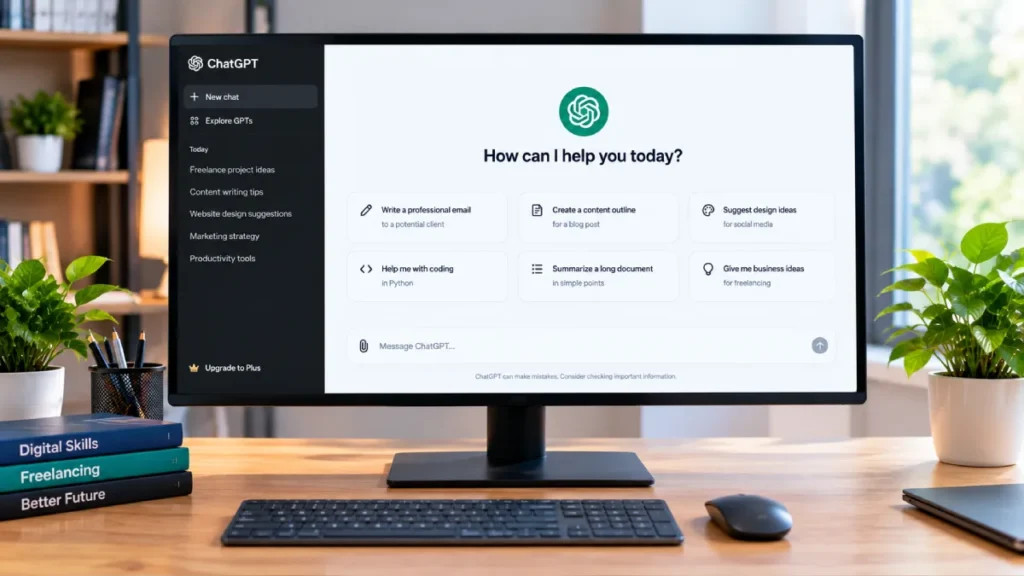
1. ChatGPT — Best All-Purpose AI Assistant
ChatGPT is a versatile AI assistant that freelancers can use for brainstorming, writing, research support, data analysis, coding assistance, and everyday business tasks.
Content writers can use it to develop article outlines, create social media captions, and brainstorm headlines. Virtual assistants can draft emails, summarize documents, and organize information. Developers can use it to understand code, investigate errors, and explore possible solutions.
Best for: Content writers, digital marketers, virtual assistants, consultants, and developers.
Key benefits:
- Generate ideas and first drafts.
- Summarize and organize information.
- Assist with coding and data-related tasks.
- Prepare proposals and client communication.
ChatGPT is an excellent starting point for freelancers who want one tool that supports multiple types of work. Always verify factual claims and adapt the output to the client’s requirements.
2. Claude — Best for Long-Form Writing and Document Analysis
Claude is an AI assistant that can help freelancers work with long documents, develop written content, analyze briefs, and organize complex information.
Freelance writers can use it to brainstorm article structures, improve explanations, and refine drafts. Consultants can use it to review project documentation and identify important points. Developers can also use it for coding assistance.
Best for: Writers, editors, researchers, consultants, and software developers.
Key benefits:
- Support long-form content development.
- Summarize lengthy documents.
- Improve the structure and clarity of drafts.
- Assist with reasoning and coding tasks.
Claude is particularly worth considering if your freelance work involves detailed briefs or substantial written documents. Review its suggestions carefully rather than accepting every response without checking.
3. Grammarly — Best for Grammar and Professional Communication
Grammarly helps freelancers improve spelling, grammar, clarity, and tone. Professional communication is essential when submitting proposals, responding to clients, or delivering written work.
For example, a freelancer can use Grammarly to proofread a client email, simplify complicated sentences, and maintain a professional tone. Its available AI writing features can also assist with rewriting and drafting, depending on the plan.
Best for: Writers, editors, marketers, virtual assistants, and consultants.
Key benefits:
- Identify spelling and grammar mistakes.
- Improve sentence clarity.
- Adjust writing tone.
- Polish client-facing messages.
Grammarly can be a useful final quality-checking tool, but it does not replace subject knowledge or careful editing.
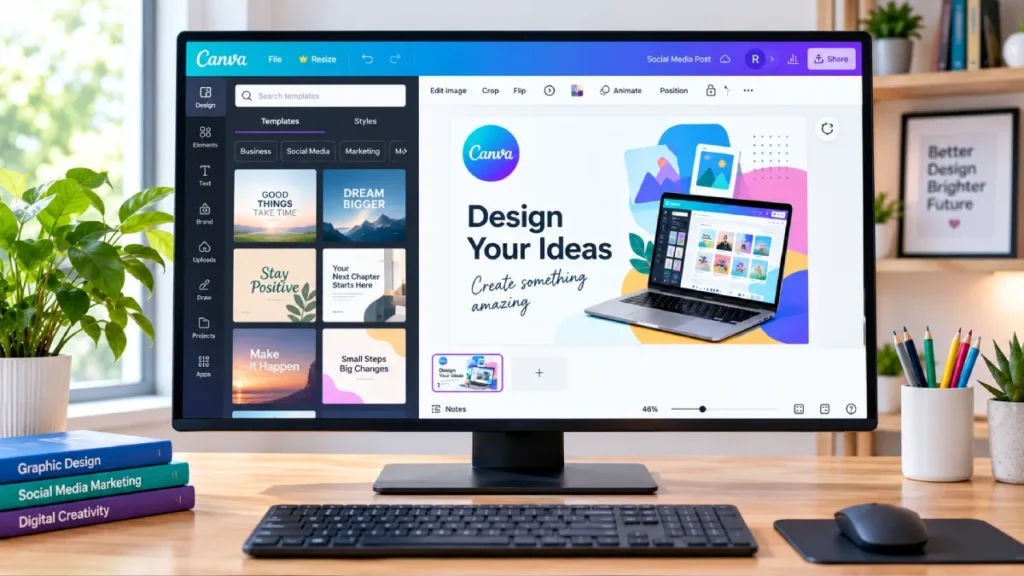
4. Canva — Best for Graphic Design and Social Media Content
Canva is a popular visual design platform with AI-powered features that support the creation of graphics, presentations, marketing materials, and social media content.
Freelance designers and social media managers can use Canva to develop content for Instagram, Facebook, LinkedIn, and other platforms. Its templates and AI features can help users generate design ideas and produce initial layouts more quickly.
Best for: Graphic designers, social media managers, content creators, and digital marketers.
Key benefits:
- Create social media graphics and presentations.
- Adapt designs to different formats.
- Develop visual concepts.
- Produce marketing materials for clients.
Canva is useful for beginners as well as experienced freelancers. Before delivering a design, check typography, alignment, image quality, brand consistency, and licensing requirements.
5. Perplexity — Best for AI-Assisted Research
Perplexity is an AI-powered search and research tool that can help freelancers explore topics and discover relevant sources.
SEO writers can use it to investigate subject areas, while marketers can research competitors, industry developments, and customer questions. Its source-linked answers can make it easier to locate information that requires further verification.
Best for: SEO specialists, researchers, writers, and marketing consultants.
Key benefits:
- Explore unfamiliar topics.
- Discover relevant sources.
- Organize preliminary research.
- Identify questions for further investigation.
Do not assume that a cited source automatically supports every statement in an AI-generated answer. Open the original sources and confirm the information before publishing or making recommendations.
6. Notion AI — Best for Project Organization
Notion combines documents, notes, databases, and project management features. Its AI capabilities can help users summarize information, draft content, and organize knowledge within their workspace.
Freelancers managing several clients can use Notion to maintain project briefs, task lists, content calendars, meeting notes, and standard operating procedures.
Best for: Freelancers managing multiple projects and clients.
Key benefits:
- Organize project information.
- Draft and summarize documents.
- Maintain reusable templates.
- Keep tasks and notes accessible.
Notion is most useful when you establish a consistent system for storing client information and tracking progress.
7. GitHub Copilot — Best for Freelance Developers
GitHub Copilot is an AI coding assistant designed to help developers write and understand code. It can provide code suggestions, explain existing code, and support programming workflows inside compatible development environments.
Freelance developers may use it to explore implementation options, generate repetitive code, and create initial tests.
Best for: Web developers, software engineers, and programmers.
Key benefits:
- Suggest code as you work.
- Explain programming concepts.
- Assist with repetitive coding tasks.
- Support testing and debugging.
Developers must review generated code for security vulnerabilities, performance problems, licensing concerns, and compatibility with the project.
8. Zapier — Best for Workflow Automation
Zapier connects compatible applications to automate repetitive tasks. Depending on the applications and plan, freelancers can create workflows that move information between tools or trigger actions when specific events occur.
For example, a freelancer might automate the transfer of new form submissions into a spreadsheet or create a task when a client inquiry arrives.
Best for: Virtual assistants, consultants, marketers, and business owners.
Key benefits:
- Reduce repetitive data entry.
- Connect different applications.
- Trigger routine workflow actions.
- Improve consistency in administrative processes.
Start with simple, low-risk automations. Test each workflow carefully, especially when it handles client records, payments, or important communications.
9. Fireflies.ai — Best for Meeting Notes
Fireflies.ai helps users record, transcribe, and summarize supported meetings. It can help freelancers capture client requirements without relying entirely on handwritten notes.
After a discovery call, a freelancer can use meeting summaries to prepare a list of requirements, decisions, and follow-up actions.
Best for: Consultants, project managers, virtual assistants, and client-facing freelancers.
Key benefits:
- Create searchable meeting transcripts.
- Summarize discussions.
- Identify action items.
- Review client conversations.
Always obtain the required consent before recording meetings. Check transcripts for mistakes and confirm important decisions with the client.
10. Descript — Best for Audio and Video Editing
Descript offers audio and video editing features that include transcript-based editing. This can simplify the process of editing spoken content because users can work with a transcript rather than relying exclusively on a traditional editing timeline.
Freelance video editors, podcast producers, and content creators can use it to prepare interview clips, educational videos, and promotional content.
Best for: Video editors, podcasters, and social media creators.
Key benefits:
- Edit supported media using transcripts.
- Prepare content for short-form videos.
- Improve production workflows.
- Repurpose longer recordings.
Always review the finished video or audio to catch editing errors, awkward transitions, and inaccurate captions.
11. ClickUp AI — Best for Task and Project Management
ClickUp combines task management, documentation, and project organization with AI-assisted features available according to plan.
Freelancers can organize assignments, set deadlines, prepare project updates, and keep track of deliverables. AI features may assist with summarizing work and drafting task descriptions.
Best for: Freelancers managing multiple deadlines or collaborating with teams.
Key benefits:
- Organize tasks and milestones.
- Track project progress.
- Draft status updates.
- Maintain a structured workflow.
Choose ClickUp if you need a centralized project workspace. If your workload is simple, a basic task list may be sufficient.
12. Jasper — Best for Marketing Content
Jasper is an AI content platform focused on marketing and brand-related writing. Depending on the available features and plan, it can help marketers develop campaign ideas and create content aligned with brand guidelines.
Freelance copywriters can use it to brainstorm advertising messages, prepare campaign drafts, and develop variations for different audiences.
Best for: Marketing freelancers, copywriters, and content strategists.
Key benefits:
- Generate marketing content drafts.
- Develop campaign ideas.
- Support consistent brand messaging.
- Create variations for different channels.
Jasper is worth evaluating if marketing content is a major part of your paid services. Compare its capabilities and cost with general-purpose AI assistants before subscribing.
13. Otter.ai — Best for Transcription
Otter.ai helps users turn supported audio conversations into text and can provide meeting summaries and related productivity features.
Freelancers who interview clients, conduct research, or attend frequent online meetings may find transcription especially useful.
Best for: Researchers, consultants, writers, and virtual assistants.
Key benefits:
- Convert supported speech into text.
- Review conversations more easily.
- Find important statements.
- Prepare meeting notes.
Transcription accuracy depends on audio quality, speakers, and language support. Verify names, figures, and important commitments before using the transcript.
14. Cursor — Best for AI-Assisted Coding Workflows
Cursor is an AI-oriented code editor designed to help developers understand and modify codebases. It can support code generation, code explanations, and changes across related files, depending on its features and configuration.
Freelance developers working on websites, applications, or existing software projects can use it to investigate unfamiliar code and speed up routine development tasks.
Best for: Web developers and software engineers.
Key benefits:
- Explore existing codebases.
- Generate and revise code.
- Investigate programming errors.
- Support development workflows.
Always test changes before deployment. Review security, dependencies, and project requirements, and maintain appropriate version control.
15. HoneyBook — Best for Freelance Client Management
HoneyBook is a client-management platform for independent businesses and service providers. Its available tools can support client inquiries, proposals, contracts, scheduling, invoicing, and workflows, with specific AI features depending on the plan.
Freelancers who handle several client relationships may use it to keep important business processes organized.
Best for: Consultants, creative professionals, and service-based freelancers.
Key benefits:
- Organize client communication.
- Manage proposals and business documents.
- Support invoicing and scheduling workflows.
- Reduce administrative complexity.
Check availability, pricing, payment support, and legal requirements in your region before choosing a client-management platform.
How to Choose the Right AI Tools for Freelancing
Choosing software should begin with your actual workload, not the number of features an application advertises.
Consider these factors before committing to a subscription:
1. Identify your biggest challenge. If writing takes too long, test a writing assistant. If project updates consume your day, consider a project-management tool.
2. Check the free plan. Use free access where available to evaluate the quality of the output and the learning curve.
3. Compare the workflow, not just the features. A tool is useful when it helps you finish a deliverable, reduce unnecessary steps, or improve client service.
4. Review privacy and security. Check how each provider handles uploaded files and conversations. Avoid entering confidential client information unless you have the appropriate permission and safeguards.
5. Calculate the value. Consider subscription costs alongside time saved, quality improvements, and additional revenue opportunities.
6. Confirm compatibility. Check whether the software works with your existing applications, file formats, and client requirements.
How Freelancers Can Use AI Tools to Earn More
AI tools do not guarantee higher income, but they can help freelancers deliver services more efficiently and explore additional opportunities.
For example, a content writer can use AI for brainstorming and outlining while charging for original research, strong writing, editing, and SEO expertise. A designer can use AI-assisted tools for early concepts while providing brand strategy and polished final designs.
A virtual assistant can automate suitable administrative tasks, while a developer can use coding assistants to explore solutions and test implementations.
The important principle is to sell valuable outcomes rather than raw AI output. Clients pay for reliable results, communication, specialist knowledge, and problem-solving—not simply for access to software.
Best AI Tools for Freelancers: Quick Comparison
| AI Tool | Main Purpose | Best For |
| ChatGPT | General assistance | Multiple freelance tasks |
| Claude | Writing and analysis | Writers and consultants |
| Grammarly | Editing | Professional communication |
| Canva | Visual design | Designers and marketers |
| Perplexity | Research | SEO writers and researchers |
| Notion AI | Organization | Project management |
| GitHub Copilot | Coding | Developers |
| Zapier | Automation | Repetitive workflows |
| Fireflies.ai | Meeting notes | Client-facing professionals |
| Descript | Media editing | Video and audio creators |
| ClickUp AI | Task management | Multi-project freelancers |
| Jasper | Marketing content | Copywriters and marketers |
| Otter.ai | Transcription | Researchers and consultants |
| Cursor | Code editing | Software developers |
| HoneyBook | Client management | Service-based freelancers |
Feature availability, usage limits, and pricing may change. Check each provider’s official website before making a purchase.
Frequently Asked Questions (FAQs)
What are the best AI tools for freelancers?
Popular options include ChatGPT for general assistance, Grammarly for writing quality, Canva for visual design, Perplexity for research, and Notion AI for organizing projects. The best choice depends on your services and budget.
Can beginners use AI tools for freelancing?
Yes. Beginners can start with user-friendly tools for writing, design, research, and task management. Learn the fundamentals of your chosen freelance service alongside AI skills so you can evaluate and improve the results.
Are there free AI tools for freelancers?
Yes. Several providers offer free plans or limited free access. Availability and usage limits vary, so review the current terms before relying on a tool for regular client work.
Can AI tools replace freelancers?
AI can automate or accelerate some tasks, but it does not consistently replace professional judgment, creativity, client communication, or accountability. Freelancers who combine AI assistance with strong specialist skills can use it to improve their services.
How many AI tools should a freelancer use?
Start with one or two tools that address your biggest challenges. Add more only when they provide a clear benefit. A small, well-managed toolkit is often easier to maintain than a collection of overlapping subscriptions.
Conclusion
AI tools for freelancers can make daily work more organized, efficient, and scalable. From writing and research to graphic design, coding, meeting transcription, and client management, the right software can help you spend less time on repetitive tasks and more time delivering valuable work.
You do not need all 15 tools to get started. Choose the tools that fit your specialty, test them on real projects, protect client information, and review every important result before delivery.
Ultimately, successful freelancing depends on your skills, reliability, communication, and ability to solve client problems. Use AI as a practical assistant that strengthens those qualities, and build a workflow that supports sustainable growth.