
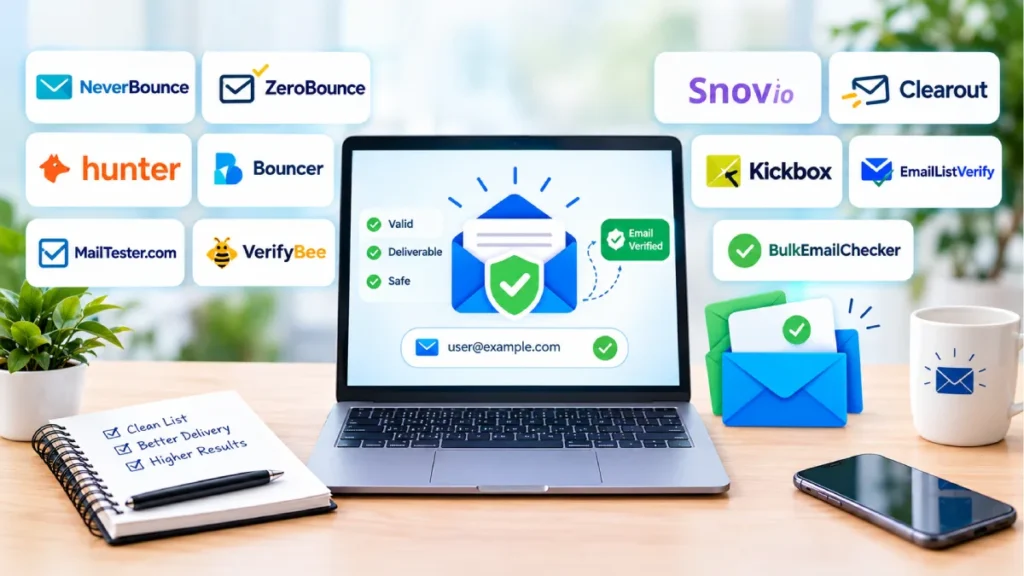
Email marketing, B2B lead generation, sales outreach, and customer communication all depend on having accurate email addresses. Sending messages to invalid, outdated, or risky addresses can result in bounced emails and make it harder to maintain good email deliverability.
This is where email verification tools can help.
An email verification tool checks an email address using multiple technical signals to determine whether it appears valid, deliverable, risky, disposable, or otherwise unsuitable for sending. Modern verification services can also provide APIs, bulk list cleaning, integrations, and additional deliverability information.
In this guide, we’ll explore some of the best email verification tools, what they do, how they differ, and what you should consider before choosing one for your business.
What Is an Email Verification Tool?
An email verification tool is software that checks whether an email address is likely to be valid and capable of receiving email.
Instead of sending a test email to every address, verification services can perform checks involving the email format, domain, mail server, and other signals. Hunter, for example, describes its verifier as checking whether an address exists and can receive messages without actually sending an email to it.
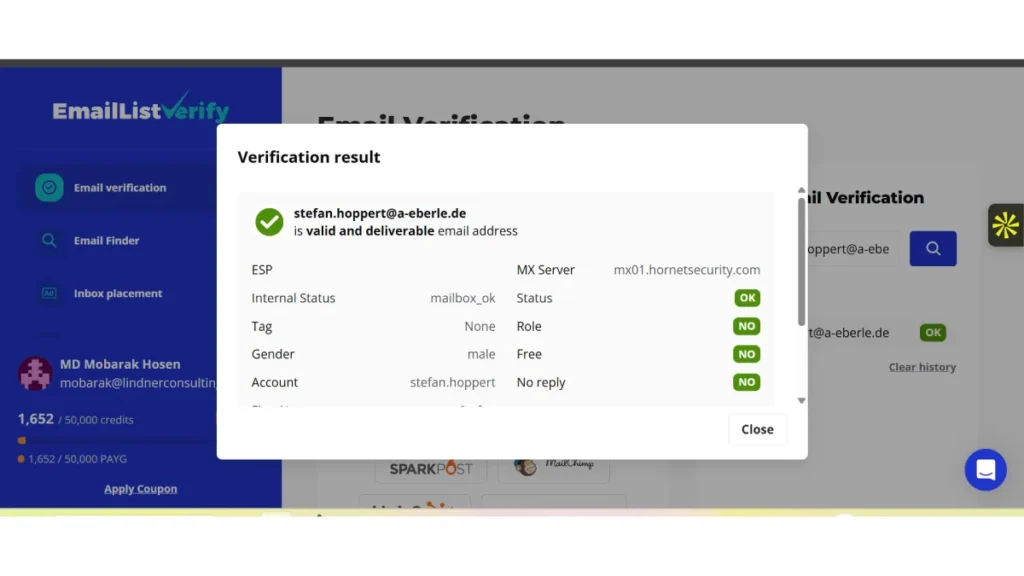
Depending on the platform, a verification result may identify addresses as:
- Valid
- Invalid
- Risky
- Disposable
- Role-based
- Accept-all or catch-all
- Unknown
The exact categories vary between providers.
Why Is Email Verification Important?
Email verification is especially useful when you collect or purchase legitimate business leads, import contacts into a CRM, or maintain an email marketing database.
1. Reduce Invalid Email Addresses
Old databases often contain addresses that no longer exist. Verification helps identify potentially invalid contacts before you send a campaign.
2. Improve List Quality
A clean contact database is easier to manage and can reduce unnecessary bounces.
3. Protect Email Deliverability
Repeatedly sending messages to invalid addresses can create deliverability problems. Verification is one part of a broader email hygiene strategy.
4. Save Time and Money
If you’re paying for email sends or using a marketing platform, removing unusable addresses can prevent wasted resources.
5. Support B2B Lead Generation
Sales teams can verify professional email addresses before adding them to an outreach workflow.
Best Email Verification Tools
There is no single tool that is ideal for every company. The right choice depends on your email volume, workflow, integrations, API requirements, and budget.
Here are several established options worth considering.
1. ZeroBounce
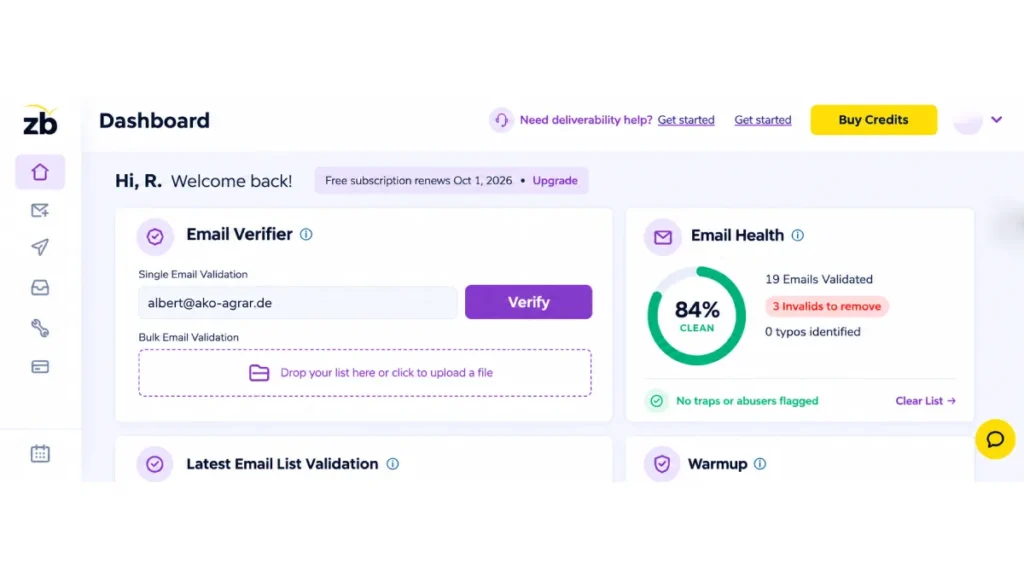
ZeroBounce is an email validation and deliverability platform designed for businesses that need to check email lists and maintain contact-data quality.
The platform supports bulk email verification and API-based verification. Current comparison sources also identify features such as disposable-email detection, catch-all identification, and additional deliverability-related signals.
Key Features
- Bulk email verification
- Real-time API verification
- Disposable email detection
- Catch-all detection
- Email list cleaning
- Deliverability-related tools
- Integrations
ZeroBounce can be useful for marketers and sales teams that regularly process larger contact lists.
2. NeverBounce
NeverBounce is another established service focused on email verification and list cleaning.
It is commonly used for bulk list cleaning and real-time verification. Recent industry comparisons describe NeverBounce as supporting bulk verification, API workflows, integrations, and automated list-cleaning processes.
Key Features
- Bulk list verification
- Real-time verification
- API
- Automated list cleaning
- Integrations
- Email validation
One useful workflow is to clean a contact database before importing it into an email marketing platform or CRM.
Best For
Teams that primarily need straightforward email list cleaning and verification.
3. Hunter Email Verifier
Hunter is particularly useful for people who already use an email-finding or prospecting workflow.
Hunter includes an Email Verifier that checks whether an address appears deliverable. Its verification process uses several checks involving the address, domain, and mail server.
One advantage is that email discovery and verification can be handled within the same broader platform.
Key Features
- Email verification
- Email discovery
- Domain search
- Bulk verification
- Confidence information
- Prospecting workflow
- API capabilities
Hunter’s own 2026 comparison guide also evaluates multiple email-verification services using a benchmark of business email addresses and considers factors such as accuracy, consistency, integrations, and usability.
4. Bouncer
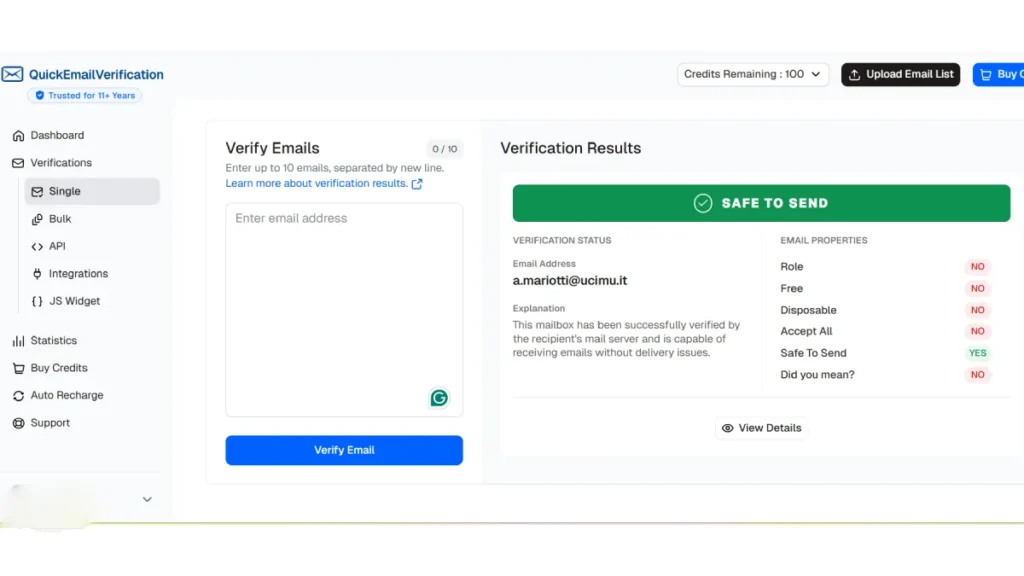
Bouncer is an email verification service designed for businesses that want to validate email addresses before sending campaigns.
Bouncer supports both bulk verification and API-based workflows. Recent comparisons highlight features such as list verification, real-time API access, integrations, and additional email-quality checks.
Key Features
- Bulk email verification
- Real-time verification
- API
- Email list cleaning
- Integrations
- Additional email-quality checks
Bouncer can be considered when you need a dedicated verification service without necessarily requiring a large sales-prospecting platform.
Best For
Small businesses, marketers, and developers looking for email verification with API support.
5. Kickbox
Kickbox is another established email verification service.
Kickbox offers email verification through its platform and API, making it suitable for both marketing workflows and applications that need real-time validation.
Recent comparisons identify Kickbox as a tool supporting bulk verification, real-time validation, API access, integrations, and deliverability-related scoring.
Key Features
- Email verification API
- Bulk verification
- Real-time validation
- Integrations
- Deliverability-related scoring
- List cleaning
6. Emailable
Emailable is another option for businesses that need to verify individual addresses or clean larger email lists.
Email verification platforms in this category generally focus on identifying invalid, risky, disposable, and other potentially problematic addresses before they enter an email-sending workflow.
Key Features
- Bulk verification
- Real-time verification
- API
- Email list cleaning
- Integrations
- Deliverability-focused checks
Emailable can be considered when your primary requirement is maintaining a clean email database rather than running a complete sales platform.
Best For
Marketing teams and businesses that regularly upload and clean contact lists.
Email Verification Tools Comparison
Here is a simple way to compare the main tools discussed in this article:
| Tool | Main Use | Bulk Verification | API | Prospecting |
| ZeroBounce | Verification & deliverability | Yes | Yes | Limited |
| NeverBounce | List cleaning | Yes | Yes | No |
| Hunter | Prospecting + verification | Yes | Yes | Yes |
| Bouncer | Verification | Yes | Yes | No |
| Kickbox | Verification & API | Yes | Yes | No |
| Emailable | List verification | Yes | Yes | No |
Features can change over time, so check each provider’s current documentation and pricing before making a purchasing decision.
How Do Email Verification Tools Work?
Although each service uses its own technology, the basic process usually involves several checks.
Step 1: Syntax Check
The system checks whether the email address follows a valid email format.
For example:
An incorrectly formatted address may immediately be classified as invalid.
Step 2: Domain Check
The system checks whether the domain exists and is configured to receive email.
For example:
example.com
The service may inspect DNS and mail-server information.
Step 3: Mail Server Check
The verifier may communicate with the receiving mail server to determine whether the address appears deliverable.
Step 4: Risk Detection
Some platforms look for indicators such as:
- Disposable email domains
- Role-based addresses
- Catch-all domains
- Known risky addresses
- Other quality signals
The exact checks vary by provider.
Step 5: Final Result
The platform returns a status or score that helps you decide whether the address should be used in your workflow.
Bulk Email Verification vs. Real-Time Verification
One important factor when choosing an email verification tool is deciding whether you need bulk verification or real-time verification.
Bulk Verification
Bulk verification is useful when you already have a spreadsheet, CSV file, CRM database, or mailing list.
For example:
Upload 10,000 contacts → verify the list → download the results → remove unsuitable addresses.
This approach is useful for cleaning an existing database.
Real-Time Verification
Real-time verification happens when someone enters an email address into a form or application.
For example:
Visitor enters email → verification API checks the address → system processes the result.
This can help prevent problematic addresses from entering your database in the first place.
What Should You Look for in an Email Verification Tool?
Before choosing a service, consider the following factors.
1. Verification Accuracy
Look at how the provider explains its verification process and what types of addresses it can identify.
Don’t rely only on a marketing claim such as “99% accuracy.” Independent tests can produce different results depending on the dataset and testing methodology. Hunter’s 2026 benchmark, for example, tested multiple providers using 3,000 real business email addresses.
2. Bulk Verification
If you regularly manage thousands of contacts, bulk verification can save considerable time.
3. API Support
Developers may need an API to connect verification directly with:
- Websites
- Registration forms
- CRM systems
- Lead-generation applications
- Internal software
4. Integrations
Check whether the tool integrates with the platforms you already use.
5. Pricing
Pricing models differ significantly. Some providers use credits, while others offer subscriptions or pay-as-you-go options. Current industry comparisons show that pricing can vary considerably by verification volume and commitment.
Always check the provider’s current pricing before purchasing.
6. Data Privacy
If you are uploading customer or business contact data, review the provider’s privacy, security, and data-processing information.
This is especially important for organizations handling personal data across different countries.
How to Use an Email Verification Tool
A typical workflow is simple.
Step 1: Create an Account
Choose a verification provider and create an account.
Step 2: Choose Your Verification Method
You may be able to verify:
- A single email
- A CSV list
- A database
- An email through an API
Step 3: Upload or Enter Your Data
For bulk verification, upload your contact list according to the provider’s supported format.
Step 4: Start Verification
The platform performs its available checks.
Step 5: Review Results
Separate usable addresses from invalid or risky results according to your provider’s categories and your own sending policies.
Step 6: Update Your Database
Remove or suppress unsuitable addresses rather than repeatedly sending messages to them.
Step 7: Monitor Your Results
Email verification should be part of an ongoing list-hygiene process, not a one-time activity.
How Often Should You Verify an Email List?
There is no single schedule that works for every business.
If your database changes frequently, regular verification may be useful. For example, sales databases can become outdated as people change companies or businesses change domains.
A practical approach is to verify:
- New lead lists before campaigns
- Old databases before reactivation campaigns
- Imported CRM lists
- Large lists before major email campaigns
- Addresses collected through online forms when appropriate
The frequency should depend on how quickly your contact database changes.
Common Email Verification Mistakes
Mistake 1: Assuming Every “Valid” Address Is Guaranteed to Deliver
Verification provides a signal; it cannot guarantee that a future message will reach the inbox.
Mistake 2: Never Cleaning an Old Database
An email list can become outdated over time.
Mistake 3: Choosing a Tool Only Because It Is Cheap
Consider accuracy, features, integrations, privacy, and your actual verification volume.
Mistake 4: Ignoring Risk Categories
Not every address that isn’t classified as “invalid” should automatically be treated as a perfect sending target.
Mistake 5: Uploading Sensitive Data Without Reviewing Privacy Practices Before uploading a contact database, understand how the service processes and stores your data.


Pingback: AI Tools for Freelancers: 15 Best Tools to Work Smarter in 2026 - VistiqLab