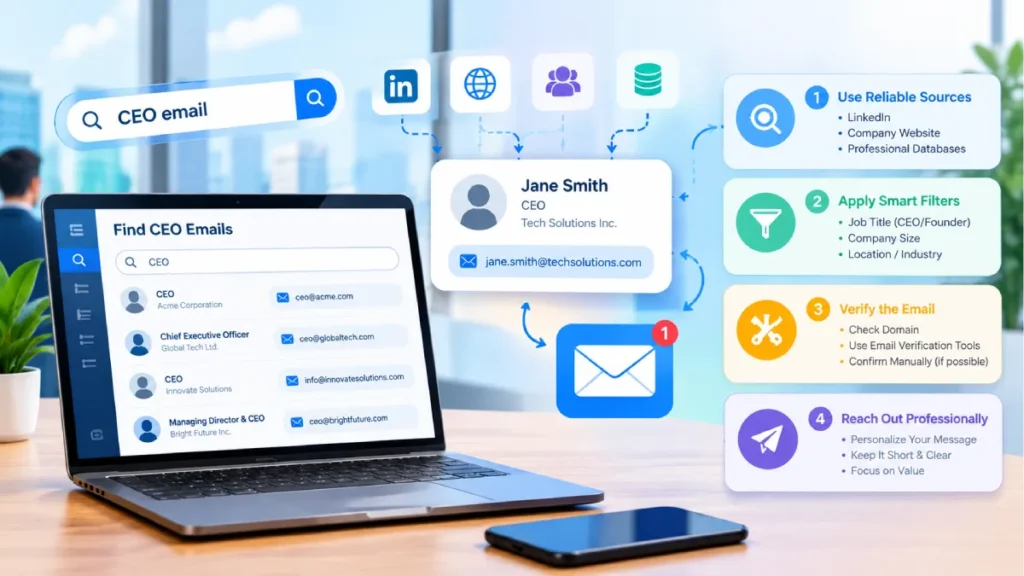
Finding the right person at a company can make a major difference in B2B sales, partnerships, networking, PR, and lead generation. When you need to contact a company’s CEO, founder, or executive, the challenge is often finding the correct professional contact address without wasting time or using unreliable information.
In this guide, you’ll learn how to find CEO email addresses using legitimate business research methods, how to verify an address before sending an email, and how to write a professional message that respects the recipient’s inbox.
Whether you are a freelancer, salesperson, startup founder, marketer, or business professional, these techniques can help you build a more organized B2B prospecting process.
What Is a CEO Email Address?
A CEO email address is a professional email address used by a company’s chief executive officer or founder for business communication.
For example, a company may use a domain such as:
However, not every CEO uses a publicly listed direct email address. Some companies route executive communications through assistants, general business addresses, or contact forms.
Therefore, the goal should not simply be to find “any” email address. The goal is to identify an appropriate professional contact method for a legitimate business purpose.
Why Find a CEO’s Professional Email?
There are several legitimate reasons to contact a CEO or founder directly.
1. Business Partnerships
If you have a partnership proposal that is relevant to the company, contacting an executive may help you reach the appropriate decision-maker.
2. B2B Sales
For certain small or medium-sized companies, the founder or CEO may be involved directly in purchasing decisions.
3. Freelance Services
Freelancers may contact company leaders when offering services such as web development, SEO, content marketing, design, or lead generation.
4. Networking
A short, relevant professional introduction can help establish a business relationship.
5. Media and PR
Journalists, researchers, and business publications may need an executive’s professional contact information for interviews or comments.
The key is relevance. A CEO is more likely to respond to a concise message that clearly explains why you are contacting them.
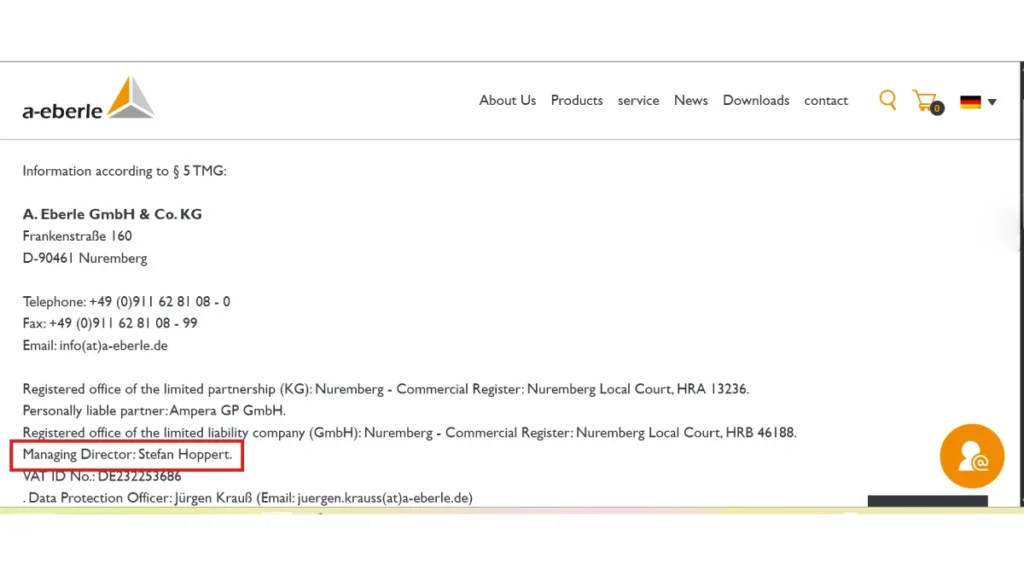
1. Start With the Company’s Official Website
The official company website should usually be your first research source.
Look for pages such as:
- About
- Leadership
- Team
- Contact
- Press
- Media
- Investor Relations
- Partnerships
Many companies publish executive names and business contact information on these pages.
You may also find general addresses such as:
If a direct CEO email isn’t publicly available, a relevant company address may be a better and more appropriate route.
2. Identify the CEO or Founder
Before trying to find an email address, make sure you know exactly who you are looking for.
Search the company’s official website and reputable professional sources to confirm:
- CEO’s full name
- Founder information
- Company name
- Company domain
- Executive position
This step is important because companies can have similar names, and leadership positions can change over time.
For example, if you discover that “John Smith” is the CEO of Example Company, record:
Name: John Smith
Position: CEO
Company: Example Company
Website: example.com
Now you have the basic information needed for professional contact research.
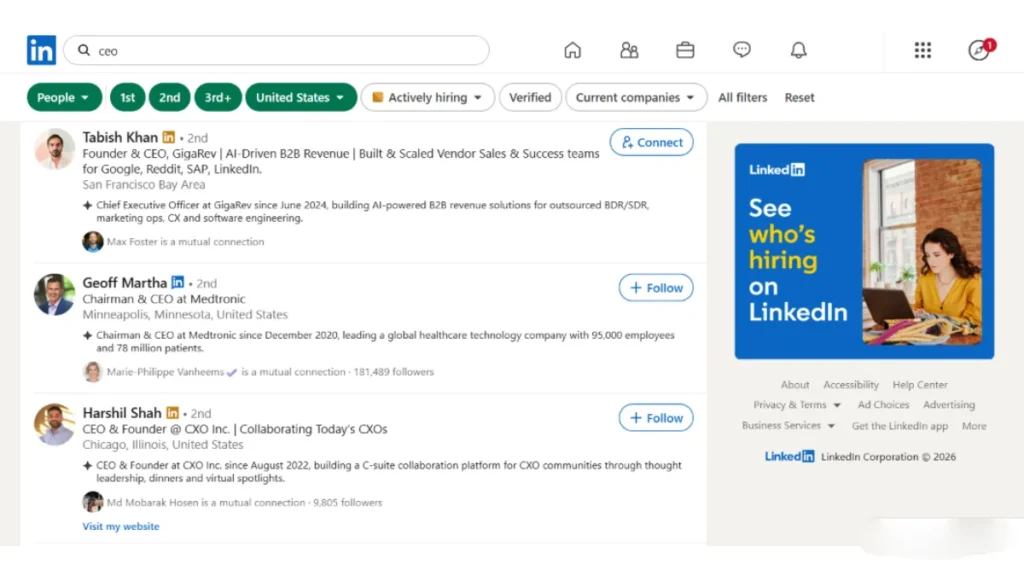
3. Check Professional Networking Profiles
Professional networking platforms can help you confirm an executive’s current role and company.
Search for the person’s:
Name + Company
For example:
John Smith + Example Company
Check whether the profile identifies the person as:
- CEO
- Founder
- Co-Founder
- Managing Director
- President
You can also use the company’s profile to identify current leadership.
Remember that a professional profile is useful primarily for identity and role verification. Do not assume that a private email address displayed somewhere should be collected or used without permission.
4. Use a Professional Email-Finding Tool
Email research platforms can sometimes help identify business email addresses associated with a company domain.
These services generally work by using publicly available information, domain information, and known professional patterns.
A typical workflow looks like this:
- Enter the company domain.
- Search for the executive’s name.
- Review available professional contact information.
- Check the confidence or verification status.
- Verify the address before contacting the person.
Why Verification Matters
Email databases can contain outdated or incorrect information.
A CEO may have:
- Changed companies
- Changed email addresses
- Changed roles
- Left the organization
- Started using a different business domain
Therefore, never assume that an email address is accurate simply because a database displays it.
5. Look for the Company’s Email Pattern
Some organizations use consistent professional email formats.
For example, a company might use:
or:
firstname.lastname@company.com
If a company’s public contact information shows several examples of its professional email format, you may be able to understand the organization’s general pattern.
However, a pattern is only an indication—not proof that a particular address exists.
Do not send large numbers of messages to guessed addresses. Verify professional contact information and keep outreach targeted.
6. Search for Public Business Contact Information
Another useful method is searching for information that the company or executive has intentionally made public.
Useful search terms can include:
- Company name + CEO
- CEO name + company
- Company name + contact
- CEO name + company website
- Company name + press contact
- Company name + partnership
You may find information on:
- Company websites
- Press releases
- Conference speaker pages
- Official company announcements
- Business directories
- Public professional profiles
The objective is to locate professional information that has been intentionally published for business purposes.
7. Check Press Releases and Conference Pages
Executives often appear in press releases, interviews, conference pages, podcasts, and industry events.
These pages can help you verify:
- Executive name
- Job title
- Company
- Business interests
- Public contact channels
For example, a conference speaker page may identify a founder and their company even when the company’s website doesn’t have a detailed leadership page.
This information can also help you personalize your outreach.
Instead of writing:
“I want to offer my services.”
You can write something more relevant:
“I noticed your company recently expanded into the European market…”
A relevant opening is generally more useful than a generic sales message.
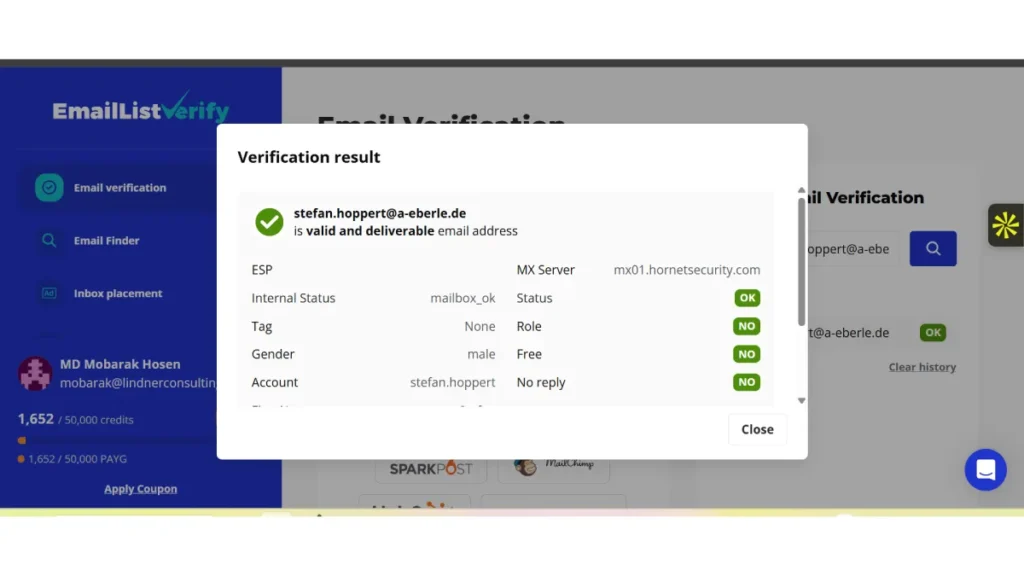
8. Verify the Email Before Sending
Finding an email address is only half of the process.
You should verify whether the address appears deliverable before using it for legitimate business communication.
Email verification can help identify:
- Invalid addresses
- Formatting problems
- Disposable addresses
- Risky addresses
- Potential delivery problems
Why Email Verification Is Important
Sending messages to many invalid addresses can increase bounce rates and make your outreach process less efficient.
A clean and carefully researched contact list is generally better than a large list containing inaccurate information.
9. Write a Short and Personalized Email
Once you have a legitimate professional contact method, keep the message short.
A good business outreach email usually includes:
- A clear subject
- A short introduction
- A reason for contacting them
- A relevant value proposition
- A simple call to action
For example:
Subject: Partnership idea for [Company Name]
Hello [Name],
I came across [Company Name] while researching companies in the [industry] space.
I noticed [specific observation]. I believe there may be an opportunity to help with [specific business goal].
Would you be open to a brief conversation?
Best regards,
[Your Name]
Avoid long introductions, exaggerated claims, misleading subject lines, or unnecessary attachments.
10. Follow Responsible Email Outreach Practices
Finding an executive’s business email does not automatically mean that you should send unlimited messages.
Your outreach should be:
- Relevant
- Honest
- Professional
- Reasonably targeted
- Easy to understand
Google’s current guidance recommends respecting recipients’ inboxes, avoiding deceptive content, following applicable spam laws, and providing appropriate unsubscribe mechanisms for relevant marketing or subscription messages.
For high-volume senders to personal Gmail accounts, Google currently requires additional technical measures such as SPF, DKIM, and DMARC authentication, along with one-click unsubscribe for relevant marketing messages.
11. Keep Your Lead List Organized
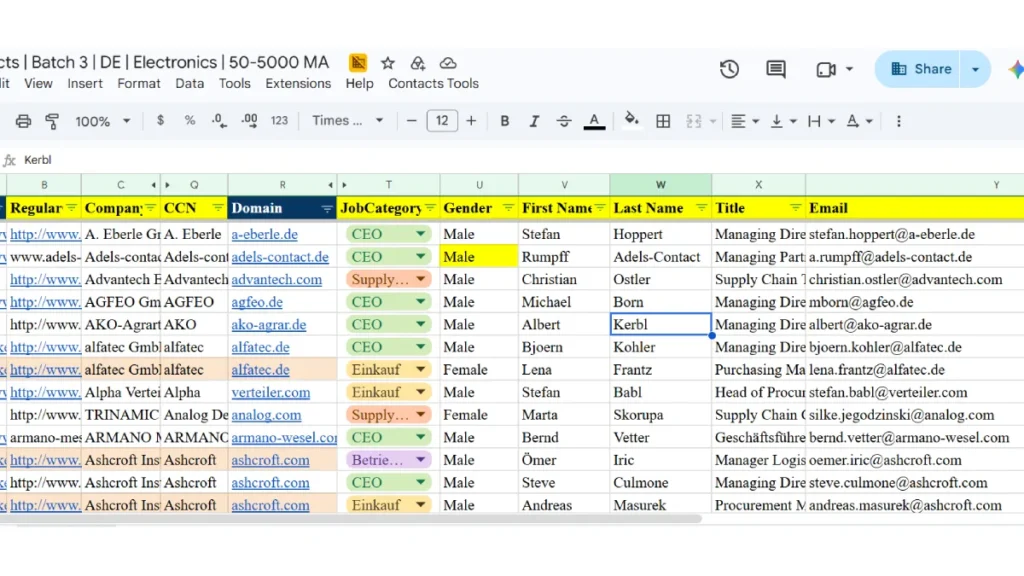
If you are doing B2B lead generation, create a simple spreadsheet or CRM.
Useful fields include:
| Field | Example |
| Company | Example Company |
| Website | example.com |
| Contact Name | John Smith |
| Position | CEO |
| Professional Email | Verified business email |
| Source | Company website |
| Verification | Verified |
| Date Contacted | September 18 |
| Status | No response |
This makes it easier to track your outreach and avoid contacting the same person repeatedly.
Common Mistakes to Avoid
When learning how to find CEO email addresses, avoid these common mistakes.
Mistake 1: Buying Huge Unverified Lists
A large database isn’t necessarily a useful database.
Incorrect or outdated information can lead to wasted time and poor email deliverability.
Mistake 2: Guessing Too Many Email Addresses
Trying hundreds of possible email combinations can create unnecessary bounces and is not an efficient prospecting strategy.
Mistake 3: Sending Generic Messages
CEOs and founders receive many business messages. A generic message that could be sent to anyone is unlikely to communicate why your offer is relevant.
Mistake 4: Ignoring Unsubscribe Requests
If someone asks you not to contact them, respect the request and remove them from your relevant outreach list.
Google recommends honoring unsubscribe requests promptly for subscription messages.
Mistake 5: Using Misleading Subject Lines
Don’t use fake urgency, misleading claims, or subject lines designed to trick someone into opening the email.
Google specifically advises commercial and bulk senders to avoid deceptive subject lines, content, sender names, and headers.
A Simple CEO Email Research Workflow
You can use the following process whenever you need to research a business executive:
Step 1: Find the company’s official website.
↓
Step 2: Identify the current CEO or founder.
↓
Step 3: Confirm the executive’s role using reliable professional sources.
↓
Step 4: Look for publicly available professional contact information.
↓
Step 5: If appropriate, use a reputable business email research tool.
↓
Step 6: Verify the professional email address.
↓
Step 7: Record the information in your CRM or spreadsheet.
↓
Step 8: Write a short, relevant, personalized message.
↓
Step 9: Send the message responsibly.
↓
Step 10: Respect replies, opt-outs, and unsubscribe requests.
This workflow is much more useful than simply collecting as many email addresses as possible.