
Data entry freelancing has become a popular way for people to explore online work and develop digital skills. As businesses continue to use digital systems to manage information, they often need help organizing, entering, updating, and maintaining data. This creates opportunities for freelancers who have basic computer knowledge, attention to detail, and good typing skills.
One of the biggest advantages of data entry freelancing is that beginners can start learning without advanced technical qualifications. Many tasks involve working with spreadsheets, documents, online forms, databases, and business records. However, successful freelancing requires more than simply typing information. Accuracy, time management, communication, and professional behavior are equally important.
If you are interested in working independently and developing useful digital skills, data entry can be a practical starting point. In this guide, you will learn what data entry freelancing is, which skills you need, what tools to use, how to find opportunities, and how to improve your professional profile.
What Is Data Entry Freelancing?
Data entry freelancing is a type of remote work in which individuals receive payment for entering, organizing, updating, or managing information for clients. Freelancers usually work independently rather than becoming permanent employees of a company.
Clients may include small businesses, online stores, marketing agencies, researchers, consultants, and entrepreneurs. They often need assistance handling large amounts of information that would otherwise take considerable time to manage.
Common examples of data entry tasks include:
- Entering information into Microsoft Excel or Google Sheets.
- Copying information from documents into digital files.
- Updating customer information in databases.
- Adding products and descriptions to eCommerce websites.
- Converting PDF documents into editable Word files.
- Organizing business records and contact lists.
- Transcribing information from scanned documents.
- Checking and correcting existing data.
These tasks may look simple, but clients expect accurate and well-organized results. Therefore, freelancers should focus on delivering quality work rather than completing tasks as quickly as possible.
Why Is Data Entry Freelancing Popular?
Data entry freelancing attracts beginners because it provides an opportunity to learn practical computer skills while exploring remote work.
There are several reasons behind its popularity.
1. Beginner-Friendly Work
Many basic data entry projects do not require programming or advanced technical knowledge. People who understand computers and common office applications can gradually develop the necessary skills.
2. Flexible Working Environment
Freelancers can often choose when and where to complete their projects, depending on the client’s deadlines and requirements.
3. Different Types of Projects
Data entry includes several activities, such as spreadsheet management, product listing, document conversion, and database updates. This variety allows freelancers to explore different areas.
4. Opportunity to Develop Digital Skills
Working with spreadsheets, documents, online platforms, and business information can improve your overall digital knowledge.
5. Potential for Long-Term Client Relationships
Businesses sometimes need regular assistance with updating records, managing product information, or organizing databases. Reliable freelancers may receive repeat projects from satisfied clients.
Essential Skills Required for Data Entry Freelancing
Although data entry is considered beginner-friendly, developing the right skills is essential for professional results.
1. Typing Speed and Accuracy
Typing is one of the most important skills for data entry work. You should be comfortable using a computer keyboard and entering information without making frequent mistakes.
Accuracy is more important than speed. Incorrect names, email addresses, product codes, or financial figures can create problems for clients.
Practice typing regularly and focus on improving both speed and accuracy.
2. Microsoft Excel and Google Sheets
Spreadsheet applications are widely used for organizing and managing information.
You should understand how to:
- Create and edit spreadsheets.
- Enter information into rows and columns.
- Format cells and tables.
- Sort and filter information.
- Use basic formulas.
- Remove duplicate records.
- Organize information into separate categories.
Learning these functions can help you handle a wider range of data entry projects.
3. Microsoft Word and Google Docs
Some clients provide information in Word documents or Google Docs. You may need to edit documents, format text, organize paragraphs, and convert files into different formats.
Understanding basic document formatting can make your work more professional.
4. Attention to Detail
Data entry requires careful attention because small mistakes can affect the quality of an entire project.
Always check spelling, numbers, formatting, and missing information before submitting your work.
5. Communication Skills
Freelancers must understand client instructions and ask for clarification when necessary. Clear communication helps avoid misunderstandings and improves the working relationship.
6. Time Management
Managing deadlines is an important part of freelancing. Learn to estimate how much time a task requires and organize your work accordingly.
Popular Types of Data Entry Freelancing Jobs
Data entry is a broad category that includes different types of projects. Understanding these services can help beginners identify suitable opportunities.
1. Basic Data Entry
Basic data entry involves transferring information from one source to another. For example, a client may provide a document containing customer details and ask you to organize the information in a spreadsheet.
2. PDF to Word or Excel Conversion
Some businesses have information stored in PDF documents that they want to edit or organize.
Freelancers may need to convert PDF content into Word documents or Excel spreadsheets while maintaining proper formatting.
3. Copy-Paste Data Entry
Copy-paste projects involve transferring specific information between documents, websites, and spreadsheets.
Although these tasks can be straightforward, accuracy and careful checking remain essential.
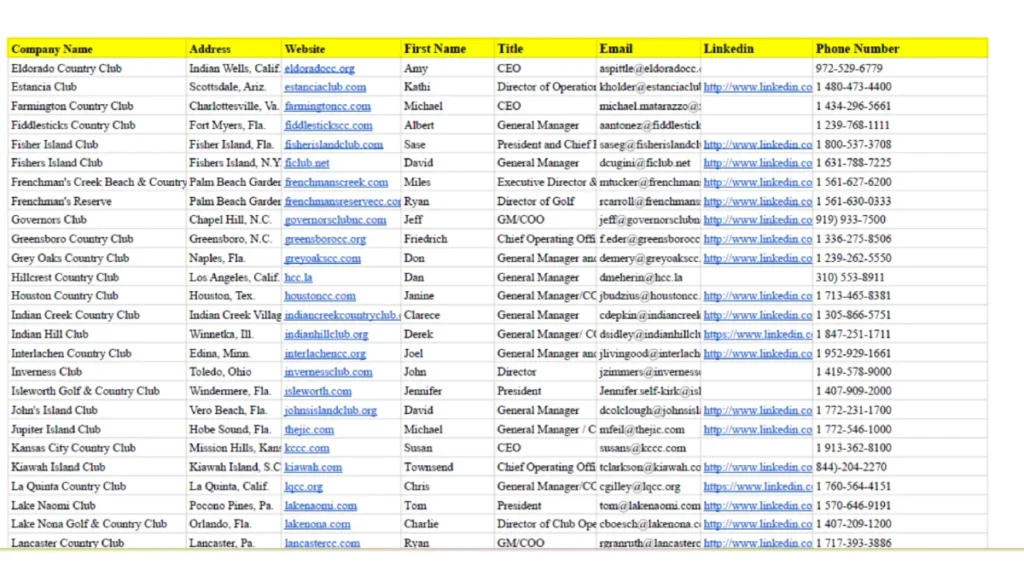
4. Web Research and Data Collection
Web research involves collecting publicly available information from websites and organizing it into a structured document.
For example, a client might request a list of company names, official websites, and publicly listed business contact information.
Always follow website terms, privacy requirements, and the client’s instructions when collecting information.
5. Product Listing
Online stores frequently need assistance adding products to their websites.
A product listing project may include entering product names, descriptions, categories, prices, and other information provided by the client.
6. Data Cleaning
Data cleaning involves identifying and correcting problems in existing datasets.
Tasks may include removing duplicate entries, correcting formatting inconsistencies, identifying missing fields, and organizing records.
7. Database Management
Some clients need assistance maintaining digital databases. This can involve updating records, organizing information, and checking existing entries for errors.
Database projects may require additional software knowledge depending on the client’s requirements.
Best Tools for Data Entry Freelancers
Using the right tools can improve productivity and make data entry projects easier to manage.
1. Microsoft Excel
Microsoft Excel is one of the most useful tools for data management. It allows users to organize information, calculate values, sort records, and create structured spreadsheets.
Google Sheets is an online spreadsheet application that allows users to create, edit, and share spreadsheets. It is useful for projects where multiple people need access to the same document.
3. Microsoft Word
Microsoft Word is helpful for creating, editing, and formatting documents. It is particularly useful for PDF conversion and document management tasks.
4. Google Docs
Google Docs provides online document editing and collaboration features. Freelancers can use it to prepare documents and share completed work with clients.
5. Google Drive
Google Drive helps freelancers store and organize project files. It also makes sharing documents easier when clients need access to completed work.
6. PDF Tools
PDF editing and conversion tools can help with document-related projects. Always check converted documents carefully because formatting errors may occur.
Best Freelance Platforms to Find Data Entry Jobs
Finding clients is an important part of building a freelancing career. Several online marketplaces connect freelancers with businesses that need digital services.
1. Upwork
Upwork is a well-known freelancing marketplace where clients publish projects and freelancers submit proposals.
You can search for opportunities related to data entry, spreadsheet management, document formatting, and web research.
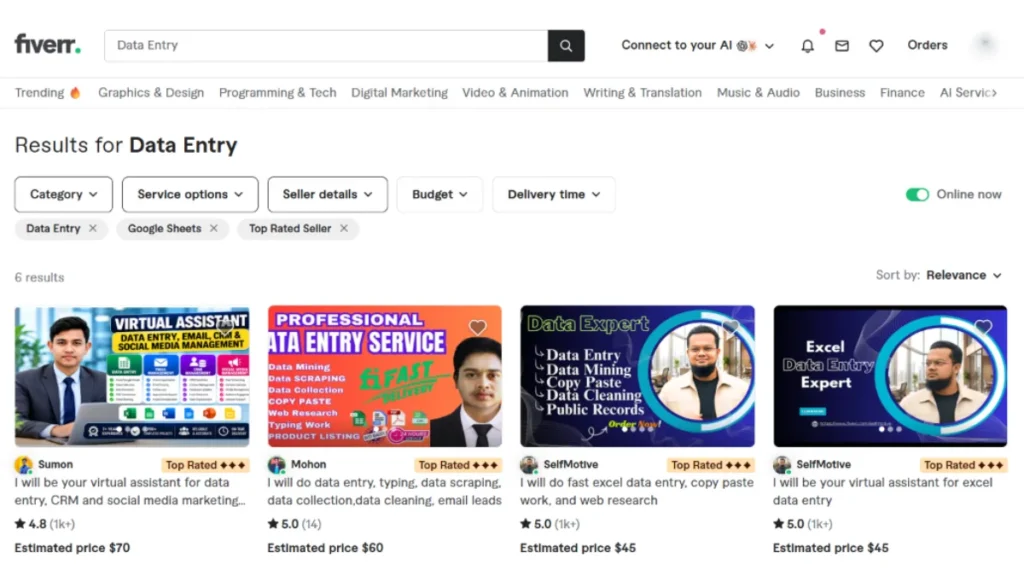
2. Fiverr
Fiverr allows freelancers to create service listings, commonly known as gigs.
For example, you could offer services such as Excel data entry, PDF conversion, spreadsheet formatting, or product listing.
3. Freelancer.com
Freelancer.com provides a marketplace where clients post projects and freelancers can submit bids.
Beginners can explore relevant categories and review project requirements before applying.
4. PeoplePerHour
PeoplePerHour connects businesses with independent professionals. Freelancers can explore projects related to administrative support, data management, and other digital services.
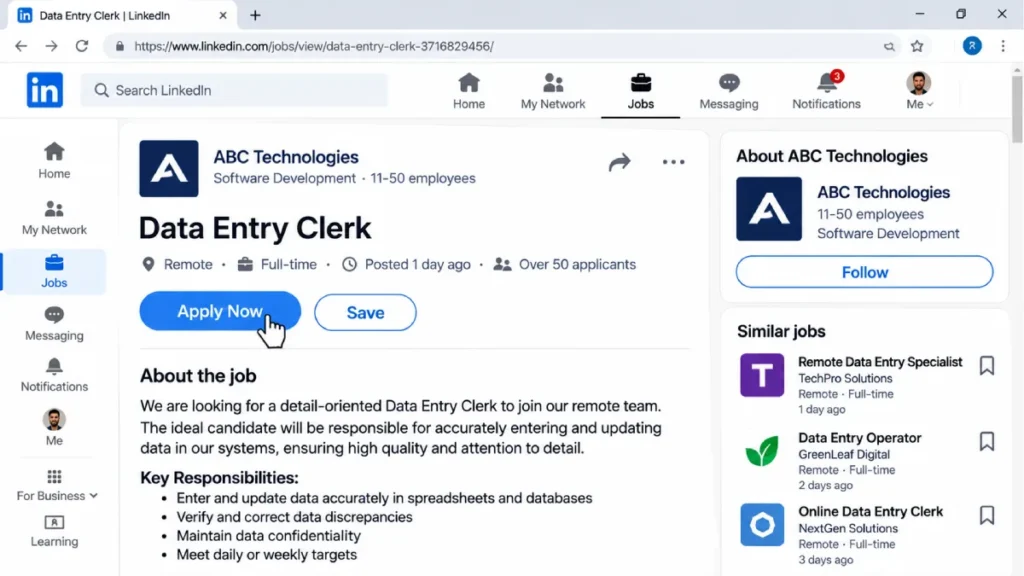
5. LinkedIn
LinkedIn is useful for professional networking and discovering business opportunities. You can create a professional profile, share your skills, and connect with businesses that may need administrative support.
Remember that each platform has its own rules, fees, and application requirements. Review those details before using a marketplace.
How to Start Data Entry Freelancing Step by Step
Starting a freelancing journey becomes easier when you follow a structured learning process.
Step 1: Learn Basic Computer Skills
Begin by learning how to use a computer, manage files, browse the internet, and work with common office applications.
Step 2: Practice Typing
Practice typing regularly using sample paragraphs, names, numbers, and business information.
Focus on reducing errors rather than increasing speed alone.
Step 3: Learn Excel and Google Sheets
Spend time understanding spreadsheet formatting, sorting, filtering, and basic formulas.
Try creating sample customer lists, product inventories, and business contact spreadsheets.
Step 4: Create a Practice Portfolio
A portfolio demonstrates what you can do.
Prepare a few sample projects, such as:
- A properly formatted customer information spreadsheet.
- A sample product inventory sheet.
- A converted and formatted Word document.
Use fictional information rather than real people’s private data.
Step 5: Create a Professional Profile
Choose a clear professional description that explains your services and skills.
Mention your knowledge of Excel, Google Sheets, document formatting, and data organization.
Step 6: Explore Suitable Projects
Search freelance marketplaces for beginner-friendly projects. Read the requirements carefully and apply only when you understand the work involved.
Step 7: Deliver Quality Work
Before submitting a project, review the information, correct mistakes, and make sure the final document follows the client’s instructions.
Professional communication and reliable delivery can help build a positive reputation.
How Much Can Data Entry Freelancers Earn?
Freelance income varies depending on experience, skills, project complexity, client budgets, and the platform used.
Some projects are paid at a fixed price, while others use hourly rates. Simple tasks may have smaller budgets, whereas projects involving complex spreadsheets, large datasets, or specialized software may offer different payment arrangements.
Beginners should avoid expecting guaranteed income immediately. Building a portfolio, understanding client requirements, and gaining practical experience usually takes time.
Instead of focusing only on earnings, concentrate on developing valuable skills and delivering accurate results.
Common Mistakes Beginners Should Avoid
Many new freelancers make avoidable mistakes when starting their online careers.
1. Applying Without Understanding the Project
Always read the complete project description before submitting a proposal.
2. Ignoring Accuracy
Incorrect information can damage the quality of your work. Review every completed task before delivery.
3. Creating an Incomplete Profile
A professional profile should clearly explain your services, skills, and experience.
4. Accepting Unrealistic Promises
Be careful with clients who promise unusually high payments for simple work or request payment to access a job.
5. Working Without Clear Instructions
Confirm the expected format, deadline, and scope before beginning a project.
6. Sharing Personal Information Carelessly
Protect your passwords, financial information, and personal documents. Use trusted platform communication and payment processes.
Tips for Building a Successful Data Entry Freelancing Career
To improve your freelancing journey, consider these practical tips:
- Practice Excel and Google Sheets regularly.
- Improve your typing accuracy.
- Create professional sample projects.
- Write clear and personalized proposals.
- Follow client instructions carefully.
- Organize project files properly.
- Communicate professionally.
- Keep learning new digital tools.
- Protect confidential information.
- Build your reputation through consistent work.
You can also expand your services over time. Learning spreadsheet management, virtual assistance, data cleaning, and product listing may help you explore additional opportunities.
Is Data Entry Freelancing Worth Learning?
Data entry freelancing can be a useful starting point for people interested in learning digital work. It provides practical experience with documents, spreadsheets, business information, and online collaboration.
However, competition can be high, and basic copy-paste tasks are not always easy to find or consistently available. Clients often prefer freelancers who can demonstrate accuracy, reliability, and additional office-related skills.
For this reason, learning data entry alongside Excel, Google Sheets, web research, and document management can be a more valuable approach than focusing on typing alone.
Think of data entry as an opportunity to build a foundation for developing broader digital skills.
Conclusion
Data entry freelancing offers beginners an opportunity to explore remote work while developing practical computer and organizational skills. From basic spreadsheet entry to product listing, PDF conversion, and data cleaning, there are different services that freelancers can learn and offer.
To get started, focus on typing accuracy, spreadsheet knowledge, document management, and professional communication. Create a small portfolio, explore trusted freelancing platforms, and apply for projects that match your abilities.
Remember that building a successful freelancing career takes patience, practice, and continuous learning. Start with basic skills, improve your work quality, and gradually explore more advanced services.
With consistent effort and a professional approach, data entry can become a valuable foundation for your wider digital career.